5.0 on the Chrome Web Store

Shopee Downloader

Download Shopee Images & Videos in One Click

Open any Shopee product page — ShopEDown finds every image, video and review automatically. No link to paste.

  • No link to paste
  • No watermark
  • Full-size originals
  • One folder per product
  • All 10 Shopee sites

Click a Tile. See What You Get.

A Shopee product page with ShopEDown installed. Click any tile on the card to open the files it saves, then add ShopEDown to Chrome and do it on any listing.

shopee.sg/40oz-Tumbler-with-Handle-Straw-Lid-Double-Wall-Vacuum-Insulated-i.412233901.28841917730

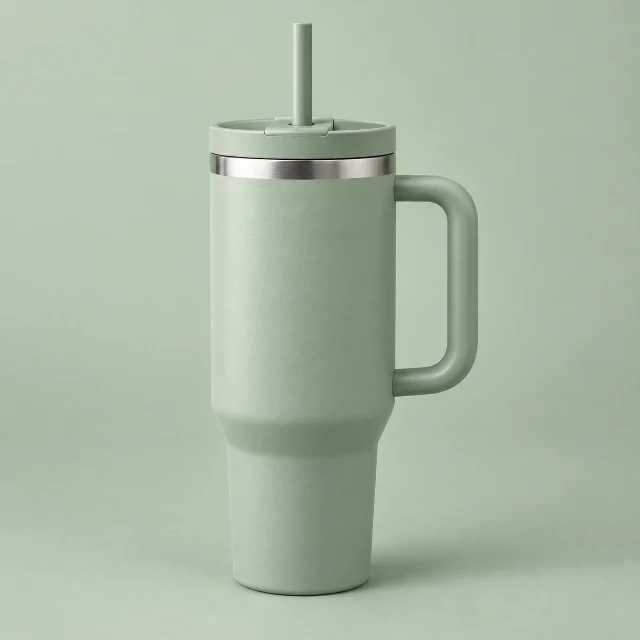
Sample listing40oz Tumbler with Handle & Straw Lid | Double-Wall Vacuum Insulated Stainless Steel | Leak-Proof

4.92.4k Ratings8.1k Sold

Click any tile

ShopEDown found 15 images · 1 video · 200 reviews

Preview
Chrome Web StoreAdd to Chrome

Then open any Shopee product page: the card appears under the title.

What ShopEDown Can Save from a Shopee Listing

Ten things every Shopee product page holds, each one click away.

02Video & review media

The product video and buyers’ media, untouched

04_Videos/05_Review_Images/06_Review_Videos/

03Reviews & product data

Reviews and product data, ready for Excel

reviews.xlsxproduct_info.xlsx

05One click

Download Everything with One Click

Every image, video, review and SKU from the listing, sorted into folders as it saves.

Every item above is grabbed from the page you are already looking at — paste a link and you would be using a slower tool.

How to Download Shopee Images and Videos

Three steps on any Shopee product page. Nothing to copy, nothing to paste.

  1. Click Add to Chrome on the ShopEDown listing, then open any Shopee product page on your computer.

    chromewebstore.google.com/detail/shopee-product-image-vide/…

    chrome web store

    Shopee Product Image & Video Downloader, Review Export - ShopEDown

    shopedown.com

    5.0(3)Extension · Shopping

    Add to Chrome
  2. Look for the ShopEDown card under the product title — it counts what it found: “15 images · 1 video · 200 reviews”.

    shopee.sg/40oz-Tumbler-with-Handle-Straw-Lid-Double-Wall-Vacuum-Insulated-i.412233901.28841917730

    Sample listing40oz Tumbler with Handle & Straw Lid | Double-Wall Vacuum Insulated Stainless Steel | Leak-Proof

    ShopEDown found 15 images · 1 video · 200 reviews

    PreviewDownload all
    • 7Main images
    • 5Variants
    • 3Desc. images
    • 42Product info
    • 1Videos
    • 12Review photos
    • 3Review videos
    • 200Review text
  3. Click a tile and the files land in the product folder. Click Preview instead to tick only the files you want.

    40oz Tumbler with Handle & Straw Lid | Double-Wall Vacuum Insulated Stainless Steel | Leak-Proof

    VIDEO & REVIEWS

    • Videos1
    • Review images12
    • Review videos3
    • Review text200
    10 selectedDownload Review images (10)

Download Shopee Videos Without Watermark

Shopee gives you no save button for its videos. ShopEDown saves the exact MP4 file the listing serves — byte for byte, with nothing drawn on top.

1:24 demo: saving one listing’s product video, review photos and review text
  • The highest resolution the listing has — HD when the seller uploaded HD
  • No watermark added and no re-encoding, so nothing is lost on the way
  • Product videos and buyers' review videos, each saved with its cover image

One Folder per Product, Not a ZIP

Each product gets its own folder, named after the site, item ID and title, with numbered sub-folders inside. Nothing to unzip, nothing to rename.

Downloads / SG_28841917730_40oz-Tumbler-with-Handle-&-Straw-Lid-Double-Wall-Vacuum

8 items · 39 files

02_Variants/

5 files · 155 KB

One image per option, named after it

  • variant_01_Sage.jpg

    31 KB

  • variant_02_Cream.jpg

    29 KB

  • variant_03_Blush.jpg

    31 KB

  • variant_04_Navy.jpg

    33 KB

  • variant_05_Charcoal.jpg

    32 KB

  • Readable names: variant_02_Cream.jpg is the Cream option, review_014 is row 14 of reviews.xlsx
  • Download the same product again and files are replaced, not duplicated
  • Thai and Chinese product titles are kept as they are

Shopee Video Downloader for Chrome

A browser extension, not a website you paste links into. Install it once and a download card appears under the title of every Shopee product you open.

Browsers
ChromeEdge
Desktop
WindowsmacOSLinuxChromeOS
  • Install it once from the Chrome Web Store — nothing else to set up
  • The card counts what the page has before you download anything
  • It reads what the page already loaded — no extra requests to Shopee while you browse

Which Shopee Sites Are Supported

All ten Shopee marketplaces, with prices read in the local currency. The extension and its spreadsheet headers come in 16 languages.

  • Singapore
  • Malaysia
  • Indonesia
  • Thailand
  • Philippines
  • Vietnam
  • Taiwan
  • Brazil
  • Mexico
  • Argentina

Not supported: Shopee Video feed clips and Shopee Live streams. ShopEDown works on Shopee product pages.

Independent tool. Not affiliated with, endorsed by or sponsored by Shopee or Sea Limited.

Built for Sellers, Dropshippers and Affiliates

Four kinds of people open a Shopee listing and need what is on it.

  • Dropshippers

    Pull a supplier's images, variants and every SKU into one folder, then relist on another Shopee site in minutes.

    Shopee tools for dropshippers
  • Shopee affiliates

    Save the photos and videos of the products you promote — the original MP4, ready for your post.

    Download Shopee videos without watermark
  • Sellers doing product research

    Export a competitor's product details, SKUs and reviews to Excel, and see which complaint keeps coming back.

    Shopee product scraper
  • Agencies and designers

    Archive a client's listing — every image, video and review — instead of asking them to resend files.

    Export Shopee reviews and review photos

What Users Say

Reviews from the Chrome Web Store, quoted as they were written.

5.0Ratings on the Chrome Web Store
  • “I love how this extension lets me download all high-resolution variant images and the main product video in just one click. It saves me hours of manual saving.”
    George RandsChrome Web Store ·
  • “Super reliable plugin. It seamlessly grabs everything from the product description images to the actual videos without losing any quality.”
    Henry JohnsonChrome Web Store ·
  • “Nice tool!”
    Andy BentChrome Web Store ·

Simple, transparent pricing

Start with images and product data. Add videos and reviews when you need them.

Free

$0forever

No account needed. Unlimited.

Renews
Never
Cost over 24 months
$0
  • Main images, full size
  • Variant & SKU images
  • Description images
  • Product info & every SKU
  • Preview & pick, one folder per product
  • Product videos (MP4, no watermark)
  • Review photos
  • Review videos
  • Review export (Excel & CSV)
  • Sentiment analysis
  • Download everything in one click

ProMonthly

$7.99per month

Billed monthly. Cancel any time.

Renews
Every month
Cost over 24 months
$191.76
  • Main images, full size
  • Variant & SKU images
  • Description images
  • Product info & every SKU
  • Preview & pick, one folder per product
  • Product videos (MP4, no watermark)
  • Review photos
  • Review videos
  • Review export (Excel & CSV)
  • Sentiment analysis
  • Download everything in one click
Best value

ProLifetime

$79.99once, yours for good

Pay once — 58% less than 24 months of Monthly.

Renews
Never
Cost over 24 months
$79.99
  • Main images, full size
  • Variant & SKU images
  • Description images
  • Product info & every SKU
  • Preview & pick, one folder per product
  • Product videos (MP4, no watermark)
  • Review photos
  • Review videos
  • Review export (Excel & CSV)
  • Sentiment analysis
  • Download everything in one click
  • 7-day refund
  • Cancel anytime
  • Lifetime: pay once, never renews
  • Secure checkout by Waffo

Frequently Asked Questions

Straight answers to what people ask before they install.

Is ShopEDown free?

Yes — main images, variant and SKU images, description images and product info can all be downloaded at no cost. Product videos, review photos, review videos, review exports, sentiment analysis and one-click “download everything” are part of the paid plans, listed in the pricing section.

Does it work on shopee.co.id, shopee.com.br and shopee.co.th?

Yes. ShopEDown works on all ten Shopee marketplaces — Singapore, Malaysia, Indonesia, Thailand, the Philippines, Vietnam, Taiwan, Brazil, Mexico and Argentina — and reads prices in the local currency.

Are the videos watermark-free and in HD?

You get the video file the listing serves, in its highest resolution, with nothing added on top. If the seller uploaded HD, you get HD. A logo the seller put inside the video itself is part of the file and stays.

Can I download on iPhone or Android?

Not yet — ShopEDown is a Chrome extension for desktop. On a phone, open the listing in your phone browser, keep the link, and save it later on a computer.

Can I download in bulk?

Yes. Open a product page and every image, variant, video and review is found at once, then sorted into one folder per product.

Do I need to paste a link?

No. Open the product page you are already on and click a tile.

Does it work on Shopee Live or the Shopee Video feed?

No. It works on Shopee product pages and saves the product and review videos listed there.

Is my Shopee account safe?

Browsing adds no requests to Shopee — the extension reads what the page already loaded. Review features load in small batches about a second apart, and pause for ten minutes if Shopee shows a security check.

What data does the extension collect?

It works on the Shopee pages you open and nothing else. Images and videos go straight from Shopee's media servers to your disk, and spreadsheets are built in your browser — your files never pass through our servers.

Does it work in Edge or other Chromium browsers?

Yes, it installs in Chrome and Edge from the Chrome Web Store, on Windows, macOS, Linux and ChromeOS.

What happens when I uninstall it?

Files you downloaded stay in your Downloads folder. Removing the extension only stops the download card from appearing on Shopee pages.

Which languages does it come in?

The interface and spreadsheet headers come in 16 languages, including English, Bahasa Indonesia, Tiếng Việt, ไทย, Bahasa Melayu, Filipino, Português (Brasil), Español, 繁體中文 and 简体中文.

Can I get a receipt or invoice?

Yes. After you pay, sign in at shopedown.com and open Settings → Payments: every order is listed there with its receipt. Waffo, our Merchant of Record, issues the invoice and emails a receipt too.


One click. Every Shopee file.

Chrome Web StoreAdd to Chrome