
Four Ways to Save a Shopee Video on a Phone
The Shopee app’s share menu
- Works on
- Android, iPhone
- Watermark
- Usually stamped with the logo
- Quality
- Original
Online paste-a-link site
- Works on
- Android, iPhone
- Watermark
- Varies by site
- Quality
- Varies; often re-encoded
Screen recording
- Works on
- Android, iPhone
- Watermark
- Whatever is on screen
- Quality
- Your screen’s
Finish on a computer
- Works on
- Windows, Mac, Linux, ChromeOS
- Watermark
- None added
- Quality
- Original file
1. The Shopee App’s Share Menu
For clips in the Shopee Video feed, the app’s share menu usually offers to save the video to your phone. It is the quickest route, but the copy it makes is stamped with the Shopee logo — this is exactly where the “without watermark” searches come from. Product videos on a listing don’t always offer the option at all.
2. Online Paste-a-Link Sites
In the Shopee app, tap Share → Copy link, open a downloader site in your phone browser and paste. Free and phone-friendly. Three things to check: that the file you get is the resolution you expected, that you are not tapping a disguised ad, and that the site doesn’t ask you to install anything.
3. Screen Recording on Android and iPhone
Both have it built in — Android in Quick Settings, iPhone in Control Centre. Play the clip full screen with the sound on and record it. You get what the screen shows: its resolution, its frame rate, and any captions or icons over the player.
4. The Clean Route: Send the Link to a Computer
When you need the original file — for an affiliate post, a relisting or a client — finish on a computer. It takes a minute and gets you the untouched MP4 plus everything else on the listing.
- 1
Copy the product link on your phone
In the Shopee app: Share → Copy link. Send it to yourself in a note, chat or email.
- 2
Open it in Chrome or Edge on your computer
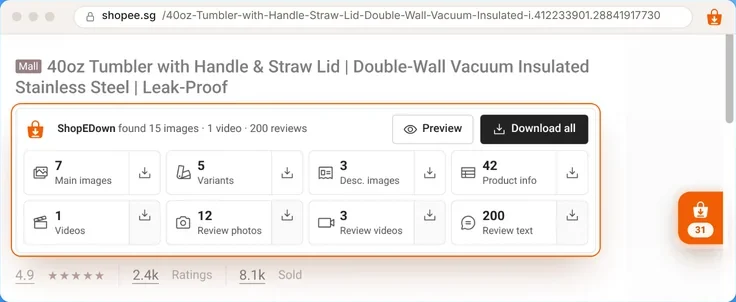
With ShopEDown installed, the card under the product title counts the video, images and reviews.
- 3
Click the Videos tile
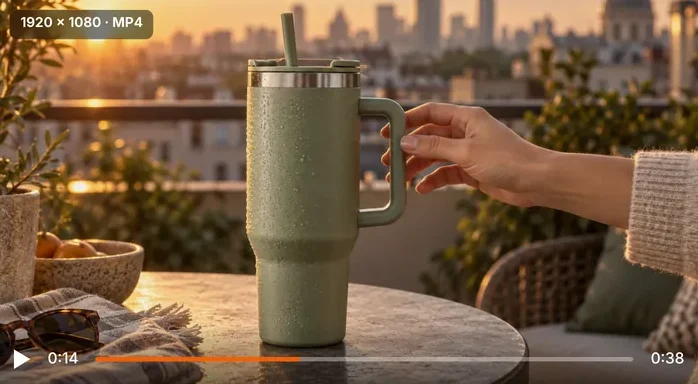
The original MP4 saves in the listing’s best format, with its cover image, into the product folder.
The details are in our guide to download a Shopee video without watermark.
A Word on “Shopee Video Downloader APK” Searches
Searches for a Shopee video downloader app or APK are rising, and so are the apps that answer them. We don’t make one, and ShopEDown doesn’t run in phone browsers. If you try an app, install it only from Google Play or the App Store, read the permissions it asks for, and avoid any APK file from a download site.
Frequently Asked Questions
Is there a ShopEDown app or APK?
No. ShopEDown is a Chrome and Edge extension for computers. Any “ShopEDown APK” you find elsewhere is not ours.
Is it safe to install a Shopee video downloader APK?
Be careful. Apps installed from outside the Play Store skip its checks, and downloader APKs are a common way to spread adware. If you use an app, get it from the official store and check its permissions.
Can I download a Shopee video without watermark on my phone?
Some link sites claim to; results vary, so check the file you get. The reliable watermark-free route for product videos is a computer: open the listing and save the original MP4.
Does screen recording lose quality?
Yes. It records your screen, so you get the screen’s resolution and frame rate, plus anything shown over the player.
How do I get the product link from the Shopee app?
Open the product, tap Share, then Copy link. Paste it into a note or message to yourself so you can open it on a computer later.