Shopee Dropshipping Without the Copy-Paste
Relisting a product by hand means saving images one by one, guessing which photo belongs to which variant, and retyping SKU prices. On a typical listing that is 15+ images, a handful of variants and a dozen attributes — per product. ShopEDown turns the source listing into a folder you can build from:
- Gallery images in their original order, full size — 01_Main
- Every variant photo named after its option — variant_02_Cream.jpg
- Description images and size charts — 03_Description
- The product video as the original MP4 — 04_Videos
- Title, attributes and every SKU with price and stock — in Excel and CSV
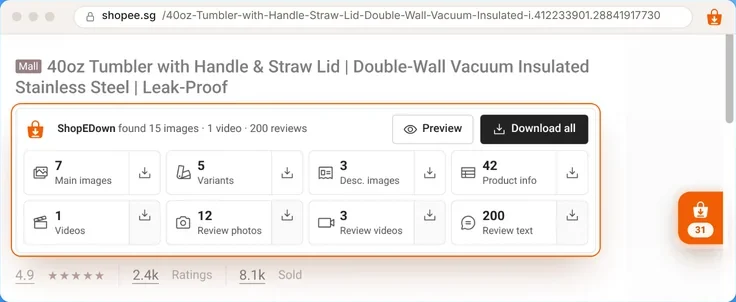
shopee.sg/40oz-Tumbler-with-Handle-Straw-Lid-Double-Wall-Vacuum-Insulated-i.412233901.28841917730

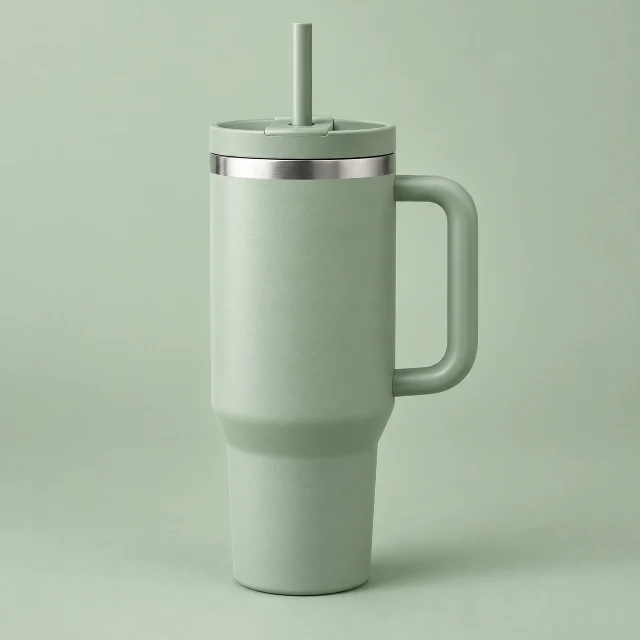
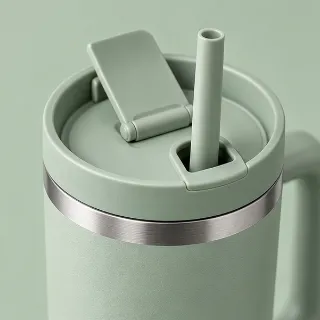
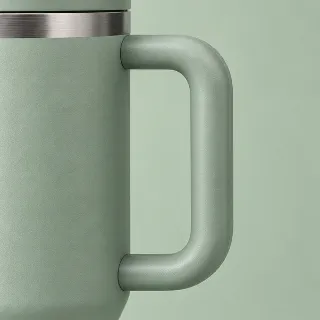
4.9· 8.1k Sold
 Sample listing40oz Tumbler with Handle & Straw Lid | Double-Wall Vacuum Insulated Stainless Steel | Leak-Proof
ShopEDown found 15 images · 1 video · 200 reviews
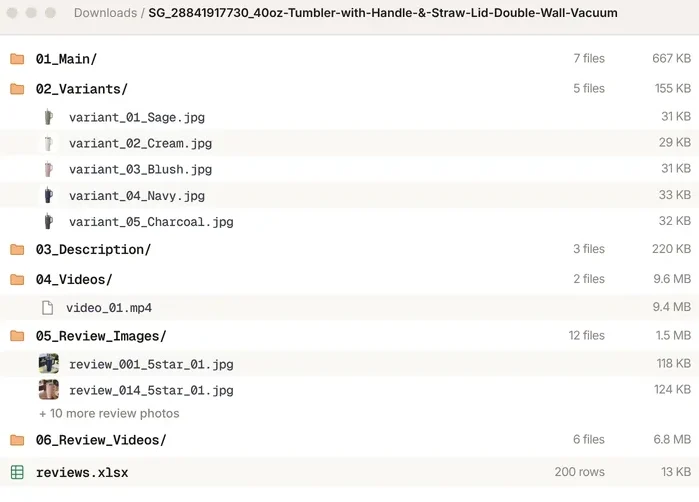
Downloads / SG_28841917730_40oz-Tumbler-with-Handle-&-Straw-Lid-Double-Wall-Vacuum
39 files- 01_Main/
- 02_Variants/
- 03_Description/
- product_info.xlsx
- 04_Videos/
- 05_Review_Images/
- 06_Review_Videos/
- reviews.xlsx
How to Relist a Shopee Product (3 Steps)
- 1
Check the product before you commit
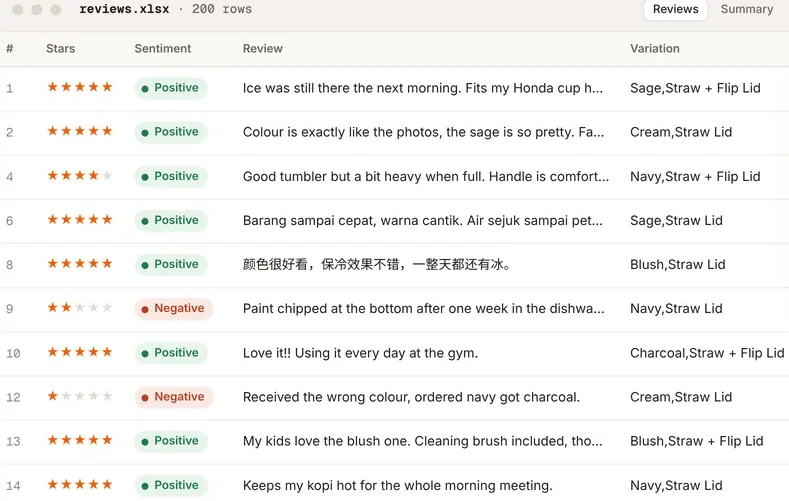
Export the supplier listing’s 1 to 3 star reviews and read what buyers complain about — wrong sizes, fragile parts, slow shipping.
- 2
Pull the listing in one click
Download all saves the gallery, every variant image named after its option, the description images, the video and the product data.
- 3
Build your listing from the folder
Upload 01_Main in its original order, map each variant_… file to its option, and copy attributes and SKU prices from the product sheet.
Pick Products With Reviews, Not Guesswork
The best dropshipping research is reading the complaints of people who already bought. Export a competitor’s reviews with a sentiment label on every row, filter to 1–3 stars, and sort by variation: if one size or colour draws the returns, you know before you stock it. The Shopee review downloader page shows the columns, and the Shopee scraper page covers the product and SKU data.
Cross-Border Relisting Across Shopee Markets
Selling the same product in Singapore, Malaysia and the Philippines? Open it on each site and export the product sheet — prices are read in local currency, SKU by SKU. Product titles in Thai and Chinese are kept as they are, so folders stay readable.
- Singaporeshopee.sg
- Malaysiashopee.com.my
- Indonesiashopee.co.id
- Thailandshopee.co.th
- Philippinesshopee.ph
- Vietnamshopee.vn
- Taiwanshopee.tw
- Brazilshopee.com.br
- Mexicoshopee.com.mx
- Argentinashopee.com.ar
Stay on the Right Side of Shopee and Suppliers
- Ask before you reuse photos and videos. They belong to the seller or brand that made them.
- Never reuse reviews as your own. Review text and buyer photos are for research only.
- Write your own title and description, in the language of the market you sell in.
Frequently Asked Questions
Can I use a supplier’s product images for dropshipping?
Only with permission. Many suppliers allow resellers to use their photos, but the images belong to whoever made them — ask, and keep the answer.
Does it copy the listing to my shop automatically?
No. ShopEDown saves the files and data to your computer; you create the listing yourself in Shopee Seller Centre. That keeps you in control of titles, prices and categories.
Does it work across Shopee countries?
Yes. It works on all ten Shopee marketplaces and reads prices in each site’s currency, which makes cross-border price checks quick.
Can I download several products at once?
One product page at a time, each into its own folder. It does not crawl search results or take a list of URLs.
Will it get my seller account flagged?
Browsing adds no requests to Shopee; review loading is spaced out and pauses at a security check. ShopEDown never touches Seller Centre.