Export Shopee Reviews to Excel and CSV
Reading reviews on Shopee means scrolling page after page of five-star “good seller” comments. A sorted sheet shows in a minute which complaint keeps coming back. Each export is a real spreadsheet, one row per review:
- Star rating, review text and the variation the buyer bought
- Buyer name, date, likes and the seller’s reply
- A sentiment column — positive, neutral or negative — on every row
- A summary sheet: average rating, positive vs. negative share, star distribution
- Saved as Excel (.xlsx) and CSV, in the product’s own folder
shopee.sg/40oz-Tumbler-with-Handle-Straw-Lid-Double-Wall-Vacuum-Insulated-i.412233901.28841917730

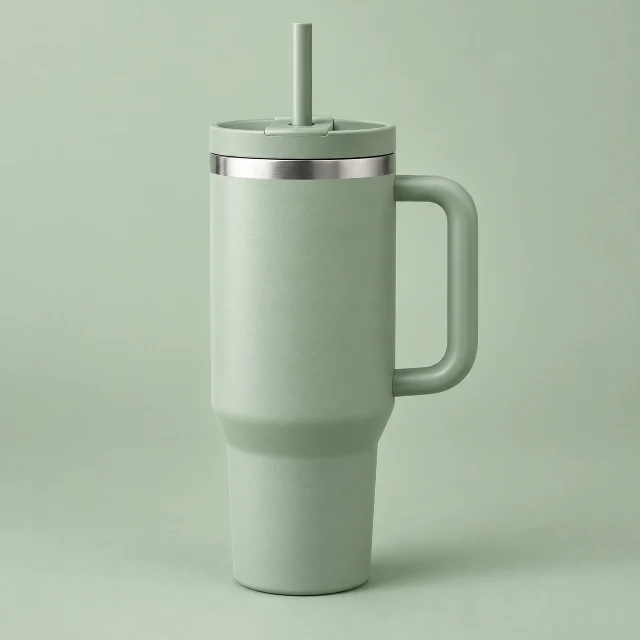


4.9· 8.1k Sold
 Sample listing40oz Tumbler with Handle & Straw Lid | Double-Wall Vacuum Insulated Stainless Steel | Leak-Proof
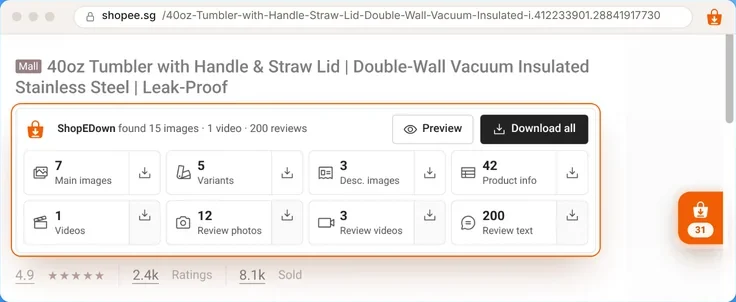
ShopEDown found 15 images · 1 video · 200 reviews
Downloads / SG_28841917730_40oz-Tumbler-with-Handle-&-Straw-Lid-Double-Wall-Vacuum
39 files- 01_Main/
- 02_Variants/
- 03_Description/
- product_info.xlsx
- 04_Videos/
- 05_Review_Images/
- 06_Review_Videos/
- reviews.xlsx
How to Download Shopee Reviews (3 Steps)
- 1
Open the product page
With ShopEDown installed in Chrome or Edge, open the Shopee listing whose reviews you want.
- 2
Choose which reviews
The Review text tile exports 200 reviews by default. Raise it to 500, or switch to 1 to 3 stars only to collect the complaints.
- 3
Open reviews.xlsx
One row per review with a sentiment column, plus a summary sheet. Review photos and videos land in their own folders, numbered to match the rows.
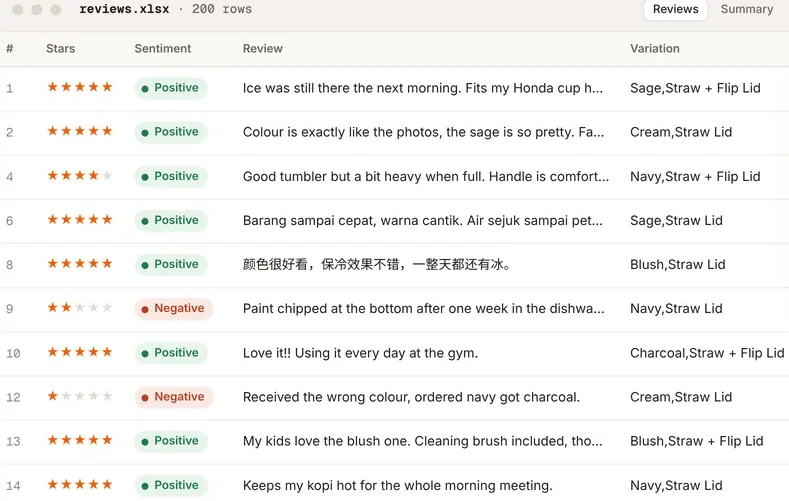
Shopee Review Sentiment Analysis
Every review gets a label: positive, neutral or negative. It is scored on your device, so review text never leaves your browser for it. Sort by the label and read the negatives first; the summary sheet puts the split in one line, like “88% positive, 12% negative” across 200 reviews.
Two habits that make the export useful:
- Export only 1 to 3 star reviews for a product you are thinking of selling — that is where the defects and the wrong-size complaints are.
- Filter by variation. If one colour or size draws most of the negatives, the variation column shows it straight away.
Download Shopee Review Photos and Videos
Buyers’ photos and clips show the product in real use. ShopEDown saves them at full size, numbered to match the review rows:
05_Review_Images/review_014_5star_01.jpg— the first photo from review 1406_Review_Videos/review_010_5star_01.mp4— the clip from review 10
So you can go from a complaint in the sheet straight to the photo that proves it. The product’s own gallery and video are on the same card — see the Shopee image downloader and the Shopee video downloader.
A Review Scraper for the Product You Have Open
ShopEDown is a scraper for one product page at a time: its reviews, its SKUs and its product data. It does not crawl search results or lists of URLs. For product data and every SKU in a spreadsheet, see the Shopee scraper page.
Who Exports Shopee Reviews
Sellers choosing what to stock
Read a competitor’s 1–3 star reviews before you order the same product, and fix the problem buyers keep naming.
Brands watching their listings
Keep a dated copy of your reviews and the photos buyers posted.
Agencies
Hand a client a clean sheet of what buyers praise and what they return the product for.
Copywriters
Borrow the words buyers actually use — the praise worth echoing in your own listing.
Frequently Asked Questions
Can I export reviews from any Shopee product?
Yes, from any product page on the ten Shopee marketplaces. Open the listing and click the Review text tile.
How many reviews can I export?
200 by default and up to 500 per product. You can also export only 1 to 3 star reviews.
Why do I mostly get 5-star reviews?
Shopee shows its highest-rated reviews first. Switch the export to 1 to 3 stars to collect the complaints, which are usually the useful part for product research.
What columns are in the sheet?
Star rating, review text, variation bought, buyer, date, likes and seller reply, plus a sentiment column. A summary sheet shows the average rating, the positive/negative split and the star distribution.
Is my Shopee account at risk when exporting reviews?
Reviews load in small batches about a second apart, and loading pauses for ten minutes if Shopee shows a security check. Browsing itself adds no requests.
Can I publish the reviews I export?
Reviews, photos and videos belong to the buyers who wrote them. Use them for research; check you have the right before republishing, and never present them as reviews of your own product.