
Online Tool, Screen Recorder or Extension
Link to paste
- ShopEDown (extension)
- None — open the page
- Online paste-a-link tool
- One link per video
- Screen recorder
- None, but you play it through
Watermark
- ShopEDown (extension)
- None added
- Online paste-a-link tool
- Varies by tool
- Screen recorder
- The logo is recorded into it
Quality
- ShopEDown (extension)
- Original file, untouched
- Online paste-a-link tool
- Often re-encoded
- Screen recorder
- Limited by your screen
Speed
- ShopEDown (extension)
- Whole listing, one click
- Online paste-a-link tool
- One video per paste
- Screen recorder
- Real time
Also gets
- ShopEDown (extension)
- Images, variants, reviews, SKUs
- Online paste-a-link tool
- The video only
- Screen recorder
- Just the video
Works on a phone
- ShopEDown (extension)
- No — desktop Chrome and Edge
- Online paste-a-link tool
- Usually
- Screen recorder
- Yes
Short version: on a phone, use an online tool. On a computer, the extension is faster and saves more than the video.
How Online Shopee Video Downloaders Work
You copy the link of a Shopee product, paste it into the website and it fetches the video for you. That is their strength: nothing to install, and it works on Android and iPhone.
What to watch for:
- One video per paste. A listing's review videos usually aren't included.
- Quality varies. Some sites hand back the original file. Others re-encode it, which costs sharpness and changes the file size.
- Ads and redirects are how free sites pay for themselves. Close anything that asks you to install something.
- Links break. When Shopee changes its pages, sites can stop working until they are updated.
Screen Recording a Shopee Video
Every phone and computer can record its screen, so it always works. But you record what the screen shows: the player controls, anything that pops up, at your screen's resolution, in real time. A two-minute video takes two minutes, plus trimming.
What the Extension Does Differently
ShopEDown reads the video the product page has already loaded and saves that exact MP4, with its cover image, into the product's folder. There is no link to copy and no re-encoding. It also saves the buyers' review videos, numbered by review, and everything else on the listing if you want it: images, variants, reviews and product data.
The trade-off is plain: it is a desktop extension for Chrome and Edge, and video downloads are part of the paid plans.
How to Download a Shopee Video with the Extension
- 1
Add ShopEDown to Chrome or Edge
Install it once from the Chrome Web Store, on your computer.
- 2
Open the Shopee product page
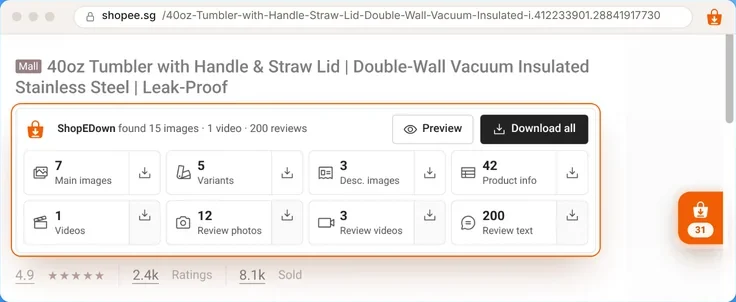
The card under the title says how many videos the listing has, before you download anything.
- 3
Click the Videos tile
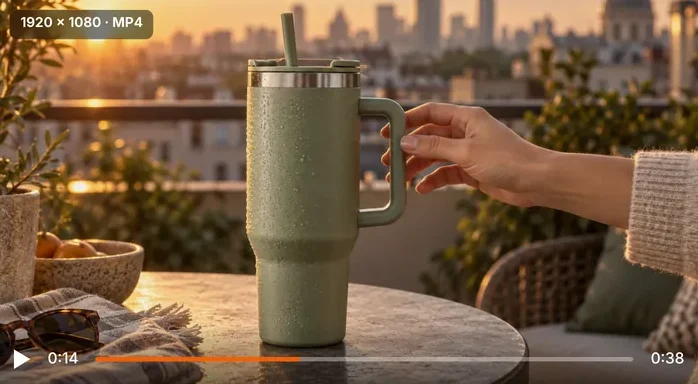
The original MP4 and its cover land in the product folder. Click Review videos for the buyers’ clips.
Frequently Asked Questions
Is there an online Shopee video downloader that works without an app?
Yes. Paste-a-link websites run in any browser, including on phones. Copy the product link from Shopee, paste it into the site and save the MP4 it returns.
Which gives better video quality, online tools or the extension?
ShopEDown saves the file the listing serves, untouched, so you get the highest resolution the seller uploaded. Some online tools return the same file; others re-encode it. Check the resolution and file size of what you get.
Do online Shopee video downloaders add a watermark?
Some free sites add their own logo or branding; many do not. ShopEDown adds nothing. A logo the seller edited into the video itself is part of the picture and stays with any tool.
Is the extension free?
Images and product data are free. Product videos, review videos and the other review features are part of the paid plans, which the pricing section lists.